
Docling + VectorLess + Gemma 3.5 Flash To Get Higher Accuracy

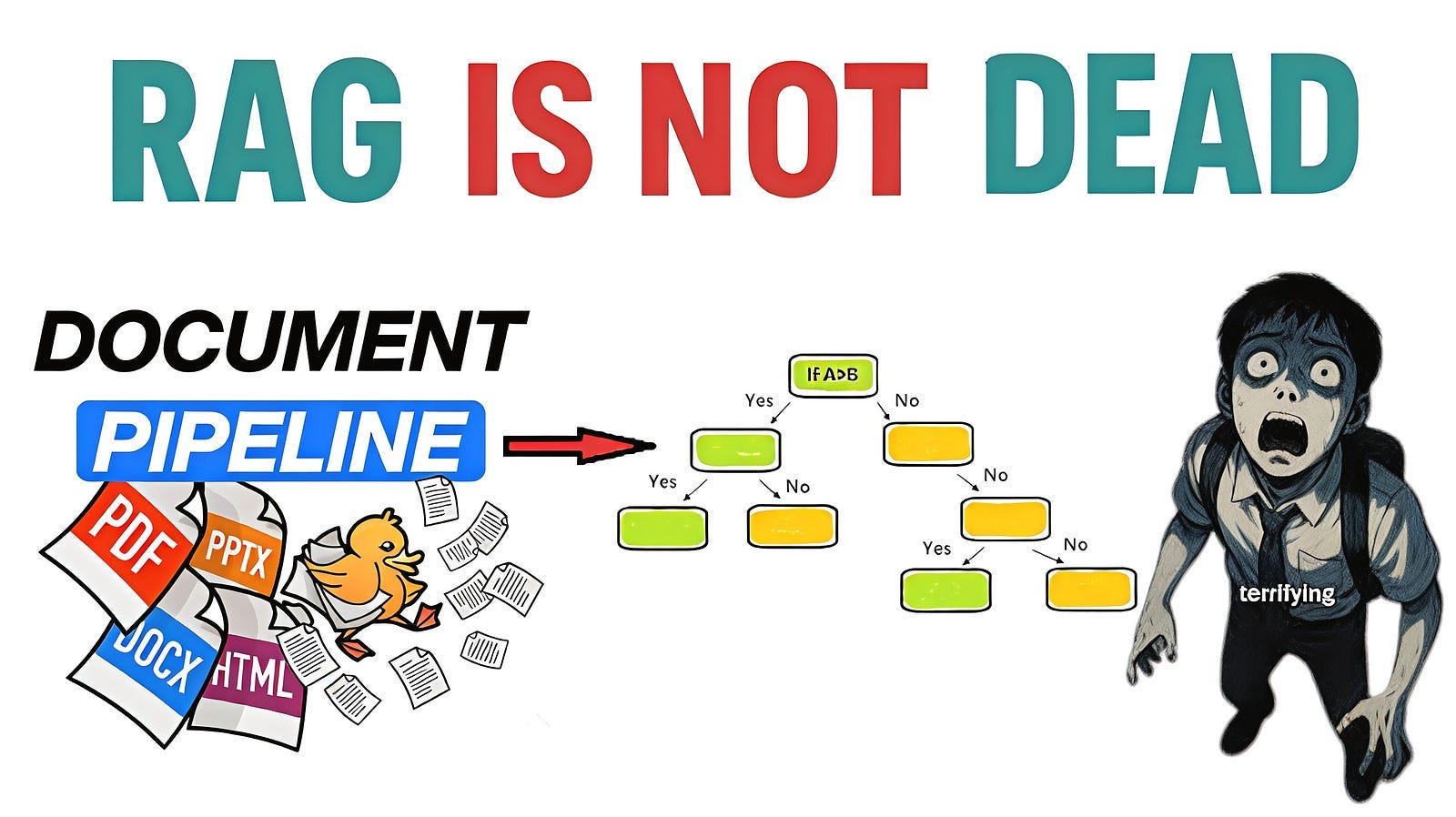
You hand an AI a PDF and ask it to analyze the financial statements, only to find the numbers are wrong. You ask it to summarise Article 7 of a contract, only to receive a summary of a completely unrelated clause.
Anyone who has started using AI in their work has probably had an experience like this. This isn’t because the AI is “lying,” but rather because it **cannot “find” the correct information within the document**.
Most RAG systems rely on embeddings and vector databases: breaking documents down into blocks, converting them into vectors, and using cosine similarity to find the answer.
But similarity is not inference. Daya takes a different approach, retrieving information by inferring document structure rather than through semantic search.
The document is no longer a flat collection of text, but a hierarchical structure, similar to a textbook with a table of contents.
However, PDFs have an ambiguous structure, and if they contain columns, tables, figures, or mathematical formulas, simple text extraction will not produce information that is neatly organized and readable by humans.
An effective solution to these challenges is “ Docling, “ an open-source library developed by IBM Research. Docling is a powerful tool that can convert documents such as PDFs and Word documents into structured formats like Markdown.
The other day, when I opened the Gemini app as usual, the model options had changed.
It displayed “3.5 Flash.” I thought, “Huh?” and started playing around with it for a bit — and before I knew it, 30 minutes had passed.
I was thinking something like, “Oh, another new one’s out.”
To be honest, I was initially sceptical because I’d always heard how amazing each new version of the AI model was.
Flash has historically been the “fast, low-cost, and reasonably intelligent” option in Google’s AI lineup. It’s fast, but its complex inference capabilities don’t match those of the Pro version. That’s how it’s been used.
However, according to Google DeepMind’s announcement, Gemini 3.1 Pro has now outperformed it on several benchmarks for agent tasks and coding. It scored 83.6% on the agent-related metric MCP Atlas and 76.2% on the coding metric Terminal-Bench 2.1.
The idea that “Flash” is outperforming “Pro” seems a bit odd when you look at the numbers alone. But apparently, that’s what’s happening.
So, let me give you a quick demo of the live chatbot to show you how everything works.
I will upload a PDF containing many images, graphs, and tables; you can upload it in any format you want. If the file is not already a PDF, LibreOffice converts it automatically into a standardized format.
If you look at how the agent generates output, you’ll see that the agent uses docling to analyse the document layout, detecting headings, paragraphs, tables, figures, and page numbers.
When the agent finds images or charts, they are extracted and use a vision model to read the visual content and convert it into structured Markdown, including chart labels, tables, and important details and exported into Markdown and also converted into a hierarchical heading tree stored as JSON and then split into chunks and stored in chromadb for semantic search
Once the indexing is done, I asked a question: What are the key financial planning basics? The agent rewrites the query into smaller self-contained questions. ChromaDB retrieves the most relevant chunks, and the agent uses page references to pull larger sections from the heading tree for better context.
When the agent generates an answer, I keep getting “I don’t know the answer.” I’ve tried many ways to solve it, but I still get the same result. I’m not sure how to fix it. Maybe there’s a problem with the Chrome database or caching.
I went to Claude Code and gave it this prompt:
“Help me test this project with TestSprite. I want to test my code and find out where the problem is. TestSprite is an AI agent that can test and review my code, generate a full project description, find bugs, and even help fix them automatically.
It makes debugging much easier because you do not have to debug everything by yourself. You can use TestSprite completely free for the first month and upgrade later if you want more features.
It is also easy to install. Just copy these lines, paste them into Claude, and ask it to help you install TestSprite MCP. The agent will guide you through the setup process.
Then drag the file with bugs into Claude Code and press Enter. The agent will generate and review all the code in a human-in-the-loop workflow. Claude Code will connect to TestSprite and keep asking you questions during the process.
The agent will then send you to the testing configuration page, where you can choose whether you want to debug the frontend or backend. You can also upload examples of how your code works. Once you are done, hit Continue, and Claude Code will keep running in a human verification loop.
After that, you will see that TestSprite generates many files, including testing code, a full description of your code, a code summary, explanations of where the problems are, and how they were solved. Everything will be recorded.
Then take those generated files, drag them back into Claude Code, and give it this prompt: “Fix these identified issues.” Claude Code can automatically review the project and fix issues.
This is really powerful because the agent identifies the problems and starts fixing them automatically.
Not forget to mention that TestSprite 3.0 has a cool feature where you can use web testing, and it changes how testing fits into your workflow.
It uses this map to guide parallel agents that click through your flows, generate end-to-end test cases, detect missing flows and identify real issues based on expected behavior.
It then pushes all results into your PR checks so you can see bugs and coverage gaps right where you review your code.
After the TestSprite fixes, I ran the code again and asked the same questions as before. TestSprite solved several errors, including ChromaDB SQLite locking issues, lost indexes after Streamlit restarts, broken retrieval logic caused by Python set comprehensions, and JSON parsing failures caused by Markdown code blocks.
If you enjoy this project and want to see more content like this, the code will be available in the first comment. Please consider giving the repo a star and sharing it with anyone who might find it useful. Your support really helps me continue creating high-quality projects and tutorials. I would truly appreciate your support
What makes Daya Unique?
Every document understanding framework today has a fatal flaw. Pick one, and you’re making a tradeoff you didn’t sign up for.
Docling is exceptional at parsing complex documents — it captures tables, charts, images, and rich layouts with impressive fidelity. But the moment it comes to retrieval, it falls back on chunking.
Chunks don’t know what page they came from. Chunks don’t know their neighbors. Chunks don’t think.
PageIndex flips the script beautifully — no chunking, hierarchical tree indexing, reasoning-based retrieval. Elegant and effective for text-heavy documents.
But throw a heavily illustrated PowerPoint or a figure-dense research paper at it, and the visual context simply disappears.
DAYA bridges this gap. It takes Docling’s rich layout and illustration capture, wires it to a PageIndex-inspired hierarchical tree structure, and delivers retrieval that is both visually complete and structurally aware. Every chart gets described. Every slide gets indexed. Every query gets answered with page-level precision.
What’s great about Gemma 3.5 Flash?
The biggest strength of this Gemini 3.5 Flash is the dramatic improvement in its “agent (autonomous working) capabilities. “
Up until now, AI was limited to “asking a question, giving a single answer, and that was it.” However, with improved agent capabilities, it can now work autonomously: “when given a goal, the AI thinks for itself, executes multiple steps, and corrects itself if errors occur until it completes the task.”
But now, here’s the main point —
When speed and intelligence are combined, I believe what actually changes is the “design of how it’s used.”
Previously, there was a division of labour: Pro was used for tasks requiring precision, while Flash was used when a draft needed to be generated quickly. In other words, there was an extra step of switching models depending on the nature of the work.
When it becomes a case of “this one tool is all I need for now,” the entire workflow changes. The decision-making cost for choosing becomes zero. I believe that this simplicity is something that doesn’t show up in numerical benchmarks.
Let’s Start Coding
In this video, I will only explain the most important functions. If you want the full code, check the first comment. I am here only to explain and share my learning journey with you.
Tree Builder
Page Aware
He designed build_slide_page_map to match PowerPoint slide numbers with the page numbers generated after converting the presentation into a PDF.
The function takes the original PowerPoint file and the converted PDF as input. First, it checks whether the presentation is an older .ppt file. If it is, convert it into a .pptx format using LibreOffice so it can be processed with python-pptx.
Next, it counts the number of slides in the PowerPoint and compares it with the number of pages in the converted PDF. These numbers do not always match because PowerPoint exports can sometimes add extra pages, such as title pages, hidden slides, or notes pages.
To solve this, it calculates the offset between the PDF pages and the original slides. Then it creates a mapping dictionary that shifts each PDF page back by the offset.
For example, if the PDF adds two extra pages at the beginning, PDF page 3 correctly maps back to slide 1.
from pypdf import PdfReader
def build_slide_page_map(original_path: str, processing_path: str) -> tuple[dict[int, int], int]:
    pptx_path = original_path
    if original_path.lower().endswith(’.ppt’):
        subprocess.run(
            [’soffice’, ‘--headless’, ‘--convert-to’, ‘pptx’, original_path],
            check=True
        )
        pptx_path = os.path.splitext(original_path)[0] + ‘.pptx’

    from pptx import Presentation
    prs = Presentation(pptx_path)
    ppt_slide_count = len(prs.slides)

    pdf_pages = len(PdfReader(processing_path).pages)
    offset = pdf_pages - ppt_slide_count

    slide_map = {
        pdf_page: pdf_page - offset
        for pdf_page in range(1, pdf_pages + 1)
    }

    return slide_map, ppt_slide_count
Title Generator
Then it developed build_heading_tree to reconstruct a flat list of headings into a nested hierarchy that matches the real structure of the document.
Instead of relying on font sizes or heading levels, which Docling does not always provide consistently, it developed a prefix-based detection system. It classified each heading by how it starts — plain text, bullet points, numbers, or lowercase letters — and used those patterns to determine the hierarchy level.
Then it created a dynamic level assignment system where every new prefix type is automatically assigned the next hierarchy level as the document is processed. For example, bullets might become level 1 while numbered headings become level 2.
To build the hierarchy, it used a stack-based parent tracking system. Whenever a heading appears at the same or higher level than the current stack top, it pops items from the stack until the correct parent level is found. If the stack becomes empty, the heading becomes a root node. Otherwise, it is attached as a child of the current parent node.
It also designed a reset mechanism for major section headers. When the system encounters a new top-level plain heading, I clear the existing prefix hierarchy and restart the level mapping. This prevents headings from unrelated sections from being incorrectly nested together across different parts of the document.
def build_heading_tree(flat_headings: list[dict]) -> list[dict]:
    roots: list[dict] = []
    stack: list[tuple[dict, int]] = []
    dynamic_levels: dict[str, int] = {}
    next_level = 1

    for entry in flat_headings:
        node  = dict(entry)

        ptype = get_prefix(entry[”title”])

        if ptype == “plain”:
            level = 0
            dynamic_levels = {}
            next_level = 1
        else:
            if ptype not in dynamic_levels:
                dynamic_levels[ptype] = next_level
                next_level += 1
            elif stack and dynamic_levels[ptype] <= stack[-1][1]:
              if not any(get_prefix(s[0][”title”]) == ptype for s in stack):
                  dynamic_levels[ptype] = next_level
                  next_level += 1
            level = dynamic_levels[ptype]

        while stack and stack[-1][1] >= level:
            stack.pop()

        if stack:
            stack[-1][0].setdefault(”children”, []).append(node)
        else:
            roots.append(node)

        stack.append((node, level))
    return roots
Tree Generator
Then he made build_ideal_output to transform the raw heading tree, extracted section text, and VLM-annotated figures into the final hierarchical JSON structure.
and it developed a recursive enrich function that walks through every heading node and resolves the best possible text content using a multi-level fallback system. First, it checks whether the node already contains a VLM annotation. If not, it looks for direct text attached to the node.
Then it searches the section text dictionary using the heading title and page range. Finally, if no exact match exists, it searches nearby pages for the closest title match.
It also designed a sequential node ID system where every node receives a unique zero-padded identifier in document order.
To improve embedding quality later in the pipeline, it made every node prepend the heading title to its content before storage.
It developed a recursive child processing system, so nested sections automatically preserve the hierarchy structure from the original heading tree.
It also created the figure insertion logic. After building the main hierarchy, it inserts VLM-annotated figure nodes back into the tree by finding the closest previous heading in document order. This allows figures to become children of their natural parent section instead of appearing as disconnected root nodes.
Finally, it designed a cleanup stage that removes temporary internal metadata doc_order before exporting the final JSON. The function then returns a clean, structured document tree that becomes the foundation for semantic retrieval and grounded citations.
def build_ideal_output(
    tree_headings : list[dict],
    section_texts : dict[tuple[str, int], str],
    total_pages   : int,
    figures       : list[dict] = None,
) -> dict:

    target_headings = tree_headings
    node_counter = count(1)
    flat_nodes: list[dict] = []
    top_level_flat: list[dict] = []

    def enrich(node: dict, is_root: bool = False) -> dict:
        title   = node[”title”]
        page_no = node.get(”start”, 0)
        end_page = node.get(”end_page”, page_no)

        content = (
            node.get(”vlm_annotation”)
            or node.get(”text”)
            or “\n”.join(filter(None, [
                section_texts.get((title, p), “”)
                for p in range(page_no, end_page + 1)
            ]))
            or next(
                    (v for (t, p), v in sorted(
                        section_texts.items(),
                        key=lambda x: abs(x[0][1] - page_no)
                    ) if t == title),
                    “”
            )
        )

        all_pages = node.get(”all_pages”, [page_no])
        enriched = {
            “title”      : title,
            “node_id”    : f”{next(node_counter):04d}”,
            “page_index” : page_no,
            “doc_order”  : node.get(”doc_order”, 0),
            “text”       : f”{title}\n{content}” if content else title,
        }
        children = [enrich(c) for c in node.get(”children”, [])]
        if children:
            enriched[”children”] = children
        if is_root:
            top_level_flat.append(enriched)
        flat_nodes.append(enriched)
        return enriched

    nodes = [enrich(n, is_root=True) for n in target_headings]
    flat_nodes.sort(key=lambda n: n.get(”doc_order”, 0))
    top_level_flat.sort(key=lambda n: n.get(”doc_order”, 0))

    for fig in (figures or []):
        fig_node = {
            “title”      : fig.get(”title”, “Figure”),
            “node_id”    : f”{next(node_counter):04d}”,
            “page_index” : fig.get(”page_index”, 0),
            “doc_order”  : fig.get(”doc_order”, 0),
            “text”       : fig.get(”vlm_annotation”) or fig.get(”text”, “”),
        }
        parent = next(
            (n for n in reversed(flat_nodes) if n.get(”doc_order”, 0) < fig_node[”doc_order”]),
            None,
        )
        if parent is not None:
            parent.setdefault(”children”, []).append(fig_node)
        else:
            nodes.insert(0, fig_node)

    def _strip_doc_order(node):
        node.pop(”doc_order”, None)
        for child in node.get(”children”, []):
            _strip_doc_order(child)

    for n in nodes:
        _strip_doc_order(n)

    return {”total_pages”: total_pages, “nodes”: nodes}
DocLing.
Next it designed layout_ext that can work both interactively and programmatically. If no file path is provided, it prompts the user for one, and he added validation to ensure the file exists before processing begins.
Then he created the conversion stage so that PowerPoint files are automatically converted into PDFs using LibreOffice running in headless mode. After conversion, it calls build_slide_page_map to calculate the relationship between PDF pages and the original slide numbers. He designed this because users care about slide references, not internal PDF page numbers.
He then developed the document parsing stage using IBM Docling with my custom VLMEnricherPipeline. During this step, the document is analyzed, structured, and enriched with VLM annotations for figures and charts.
And designed two export paths from the parsed document.
The first generates a flat Markdown report that serves as a clean, human-readable version of the document.
The second generates a page-marked Markdown version where page markers are inserted between sections. It created this specifically for downstream retrieval because it allows the system to trace every paragraph back to its exact source page.
After that, He chained together the full tree-building pipeline and extracts headings and figures from the document, parses section text from the page-marked Markdown, and merges everything through build_ideal_output to create the final enriched hierarchical JSON structure.
Finally, it saves both the Markdown report and the JSON tree to disk and updates the global tracking lists so the retrieval system always uses the most recently indexed document.
def layout_ext(file_path = None):
    if file_path is None:
      file_path = input(”Enter the file path (PDF or PPTX):\n”).strip()
      if not os.path.exists(file_path):
          print(”Error: File not found.”)
          return

    base_name, ext = os.path.splitext(file_path)
    ext = ext.lower()
    processing_path = file_path

    if ext in [’.ppt’, ‘.pptx’]:
        print(f”Converting {ext} to PDF via LibreOffice...”)
        try:
            subprocess.run([’soffice’, ‘--headless’, ‘--convert-to’, ‘pdf’, file_path], check=True)
            processing_path = f”{base_name}.pdf”
        except Exception as e:
            print(f”System Error: Could not convert {ext}. {e}”)
            return
    if ext in [’.ppt’, ‘.pptx’]:
        slide_map, ppt_slide_count = build_slide_page_map(file_path, processing_path)
    else:
        slide_map, ppt_slide_count = None, None

    print(”=” * 60)
    print(f”Extracting with Docling + VLM : ({VISION_MODEL})”)
    print(”=” * 60)

    converter = DocumentConverter(format_options={InputFormat.PDF: PdfFormatOption(pipeline_cls=VLMEnricherPipeline,pipeline_options=pipeline_options,)})

    print(”Processing document”)
    result = converter.convert(processing_path)

    # Export to Markdown
    markdown_output = result.document.export_to_markdown()
    page_marked_markdown = export_markdown_with_page_markers(result.document)
    my_filename = f”{base_name}_report.md”
    with open(my_filename, “w”, encoding=”utf-8”) as f:
        f.write(markdown_output)
        f.close()
    doc_op.insert(0,my_filename)

    print(”── Building Hierarchial tree ──────────────────────────────────────────────────────────────\n”)
    headings, total_pages, figures = build_heading_table(result.document,slide_page_map=slide_map, ppt_slide_count=ppt_slide_count,)
    section_texts = extract_section_texts(page_marked_markdown)
    ideal_output  = build_ideal_output(headings, section_texts, total_pages, figures)
    tree = f”{base_name}_tree.json”
    with open(tree, “w”, encoding=”utf-8”) as f:
        json.dump(ideal_output, f, indent=2, ensure_ascii=False)
    print(f”Ideal JSON saved    → {tree}”)

    tree_json.insert(0, tree)
    print(”── Can download Docling markdown file and tree ──────────────────────────────────────────────────────────────\n”)
Conclusion :
The Gemini 3.5 Flash’s greatest value lies in the fact that, while being a lightweight and fast model, it can now provide intelligence equal to or greater than the top model of the previous generation, at a practical speed.
If your company is considering implementing a RAG system, try suggesting that they consider newer approaches like Daya, rather than just sticking to a vector database. It’s especially worth considering in fields where accuracy and explainability are crucial, such as finance, law, and healthcare.
🧙♂️ I am an AI Generative expert! If you want to collaborate on a project, drop an inquiry here or book a 1-on-1 Consulting Call With Me.
Code Source: https://github.com/RoneyBABA/DAYA